

Don't Forget!
Class registration closes on March 2nd!
Interest Forms
These courses are a select placement based on timely completion of the interest form, teacher evaluation and availability, thus are not able to be selected via the PowerSchool Class Registration page. Reference the HHS 2026-2027 Course Offering Booklet for grade level eligibility.
Forms can be picked up in the counseling department, B105.
Construction Trades Block
Culinary
Dual Enrollment
Education Academy
Honors/AP (These courses can be selected, but please do not forget to get a form and turn it in on time)
Multimedia Production (TVP)
Work Experience
Yearbook
Scheduling Instructions
Take a look at this step-by-step guide on how to make course requests.
Step 1:
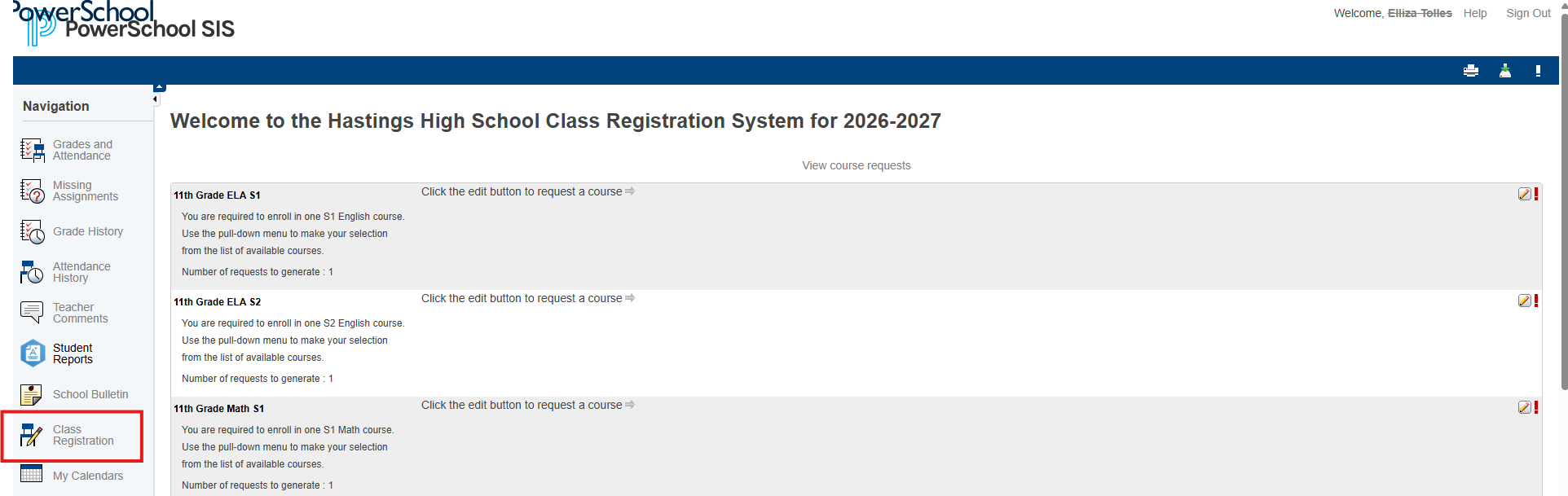
Login to PowerSchool and Select "Class Registration" on the bottom lefthand column.
Step 2:
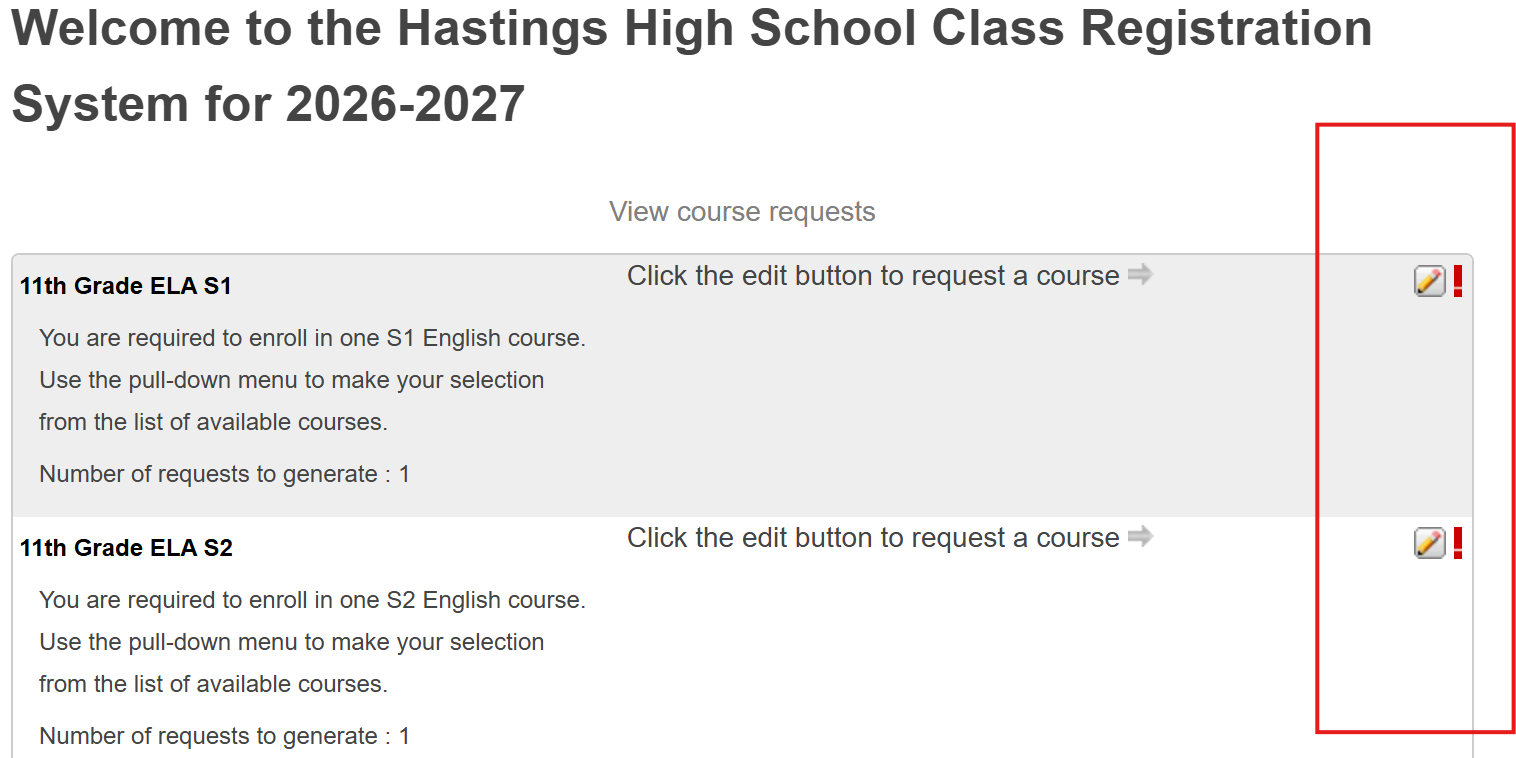
Select the Pencil icon to select a course for next school year.
*Students heading into 9th or 10th grade have their English, Math, Science and Social Students courses pre-loaded. To request an alternate core course, please fill out one of our scheduling forms.
Step 3:
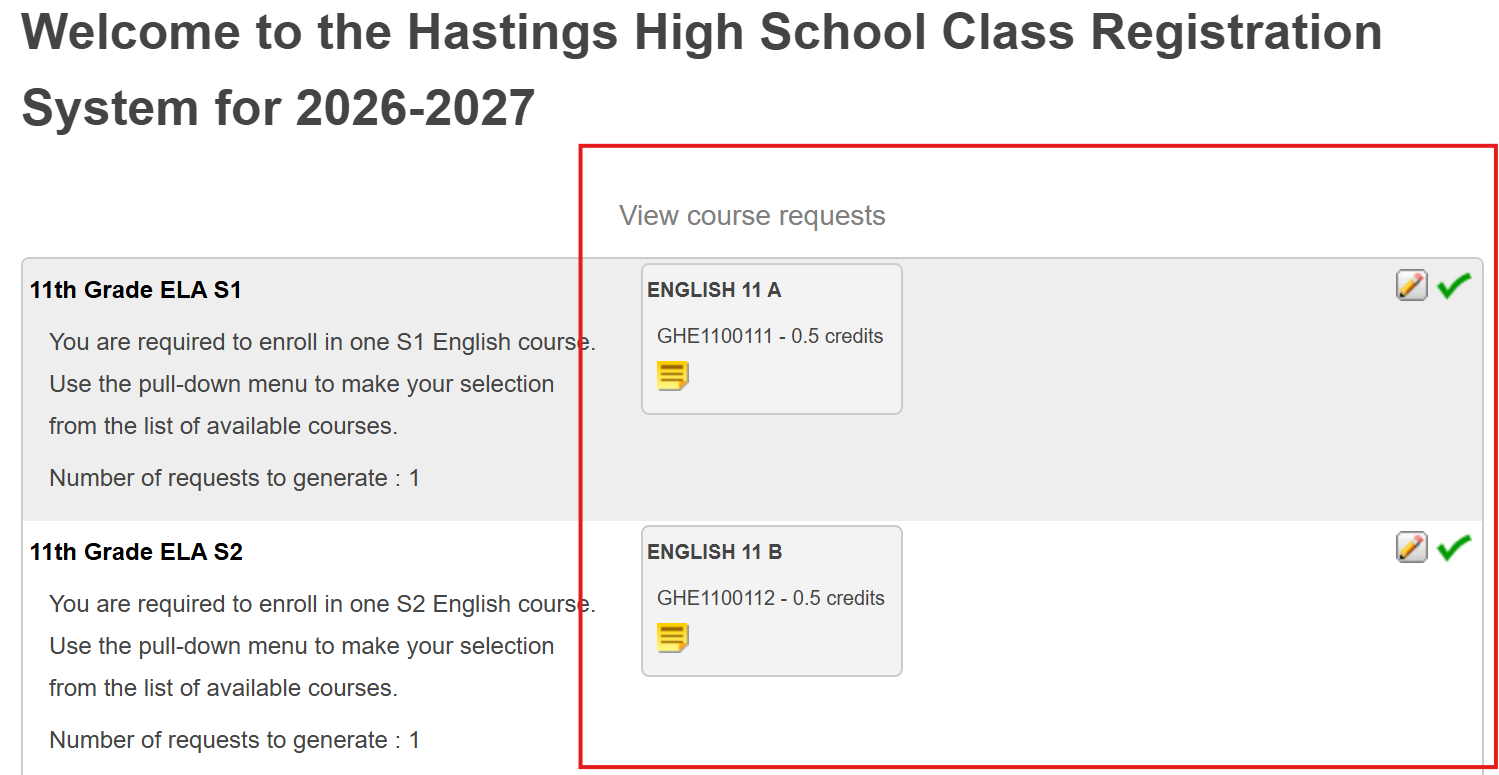
Once a course has been selected, you should see a green checkmark replace the red exclamation point.
Step 4:
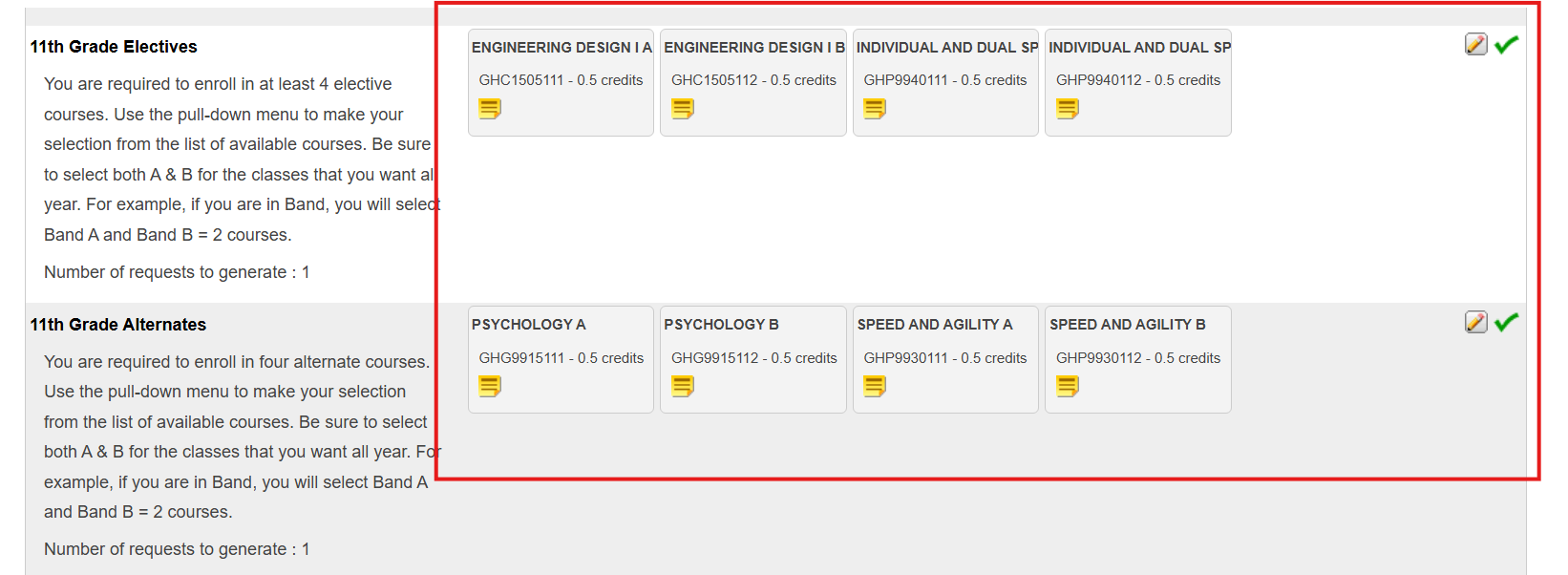
Make sure you have the correct number of elective and alternates selected
*Upperclassmen will have more electives to select
**Electives and Alternate MUST be different. Do not select the same courses for both.
Step 5:
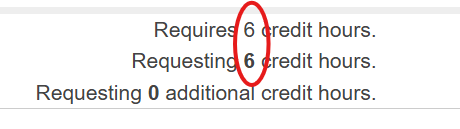
Before you can submit, the number of credit you are requesting MUST match the number of credit hours that are required. If it will not let you submit, check your credits and adjust your requests accordingly.
Step 6:
Submit your requests!
*You must hit the submit button at the bottom right of your screen to make sure that your requests are saved in PowerSchool.